OpenAI and Work Louder Just Dropped a Physical AI Agent Controller
OpenAI Just Dropped a Physical Controller for AI Agents
If you’ve been building with AI agents for any length of time, you’ve probably felt the friction. You’re jumping between chats, trying to remember which agent is doing what, tweaking reasoning levels mid-task, hunting for the right workflow shortcut. It’s a lot of context switching for something that’s supposed to make you faster.
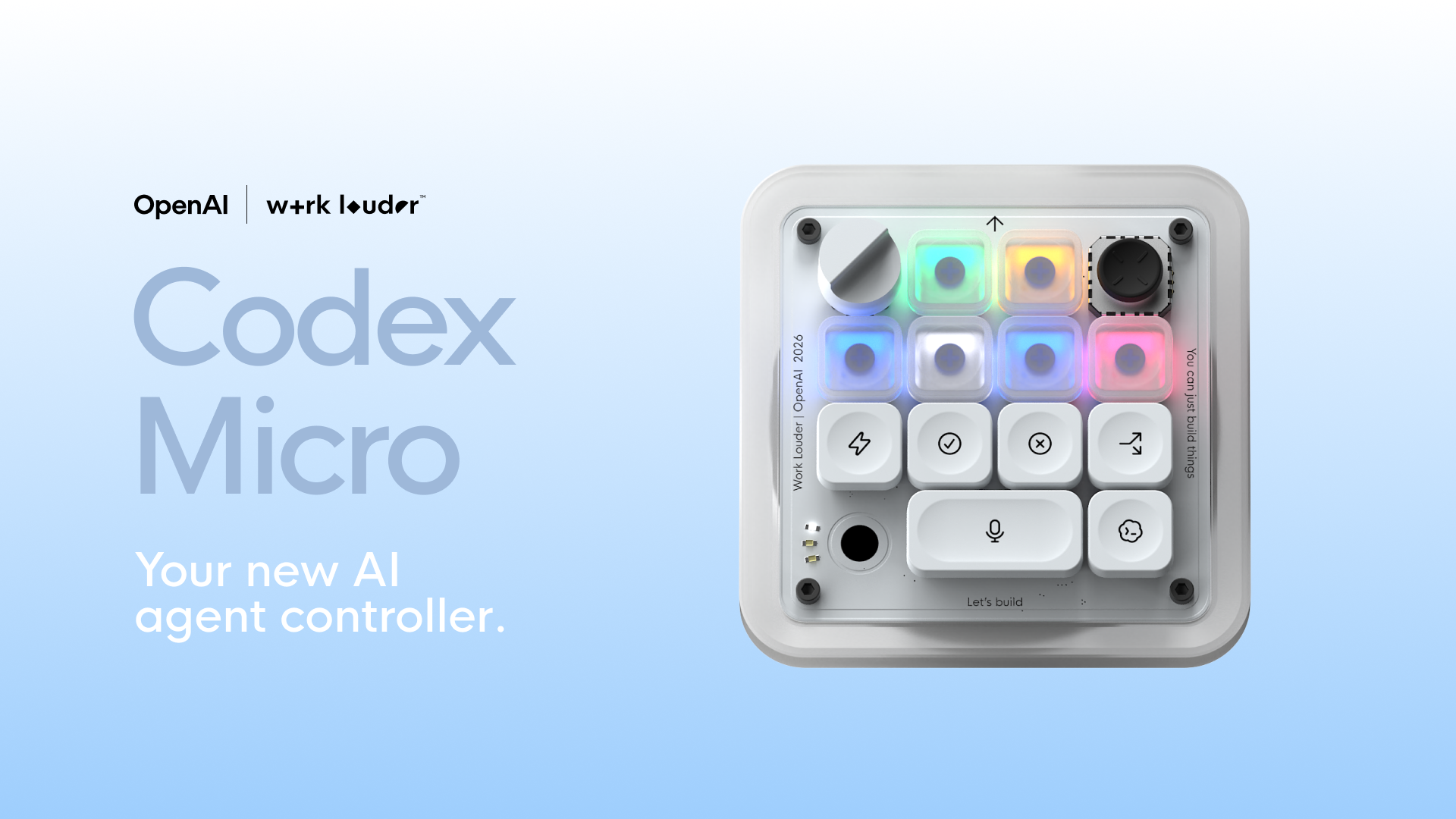
OpenAI’s Supply Co. just teamed up with Work Louder on something that directly addresses this: the Codex Micro — a compact mechanical keyboard built specifically for controlling AI agent workflows.
And honestly? It’s the most interesting piece of AI hardware we’ve seen in a while.
What Is It?
The Codex Micro is a 13-key mechanical keyboard with a joystick, a rotary encoder (dial), and a touch sensor. It connects over Bluetooth or USB-C and works on both Mac and Windows. But the hardware is just the shell — what makes it different is how it integrates with Codex, OpenAI’s agentic coding environment.
Each key has a custom icon set (32 unique icons plus solid color caps) and lights up with RGB status directly from Codex. So instead of switching windows to check if an agent is thinking, waiting, running, or done, you can see it at a glance.
The Three Things That Matter
1. Agent Status at a Glance

Every Agent Key shows a live RGB status. Blue means thinking, green means running, yellow means waiting, red means idle. You don’t need to switch contexts to know what your agents are doing. This concept of agent-driven automation with reduced context switching is something we’ve been thinking a lot about at SquidCircle — especially in the context of triage and follow-up workflows.
2. One-Joystick Workflow Triggers
The joystick lets you launch common Codex workflows — reviewing a PR, debugging an error, refactoring code — without touching your mouse or trackpad. Flick and go.
3. On-the-Fly Reasoning Tuning
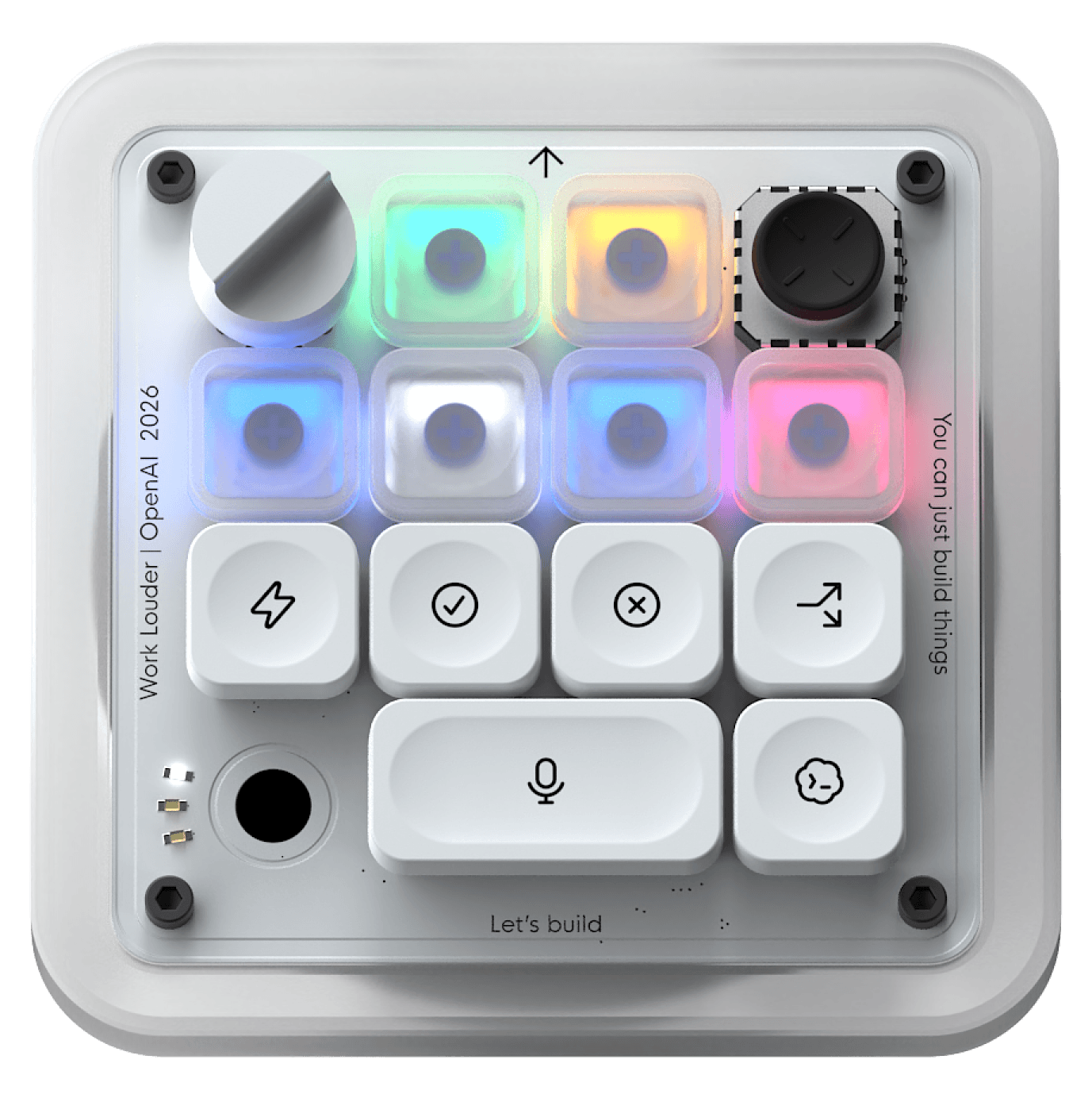
The rotary dial adjusts the reasoning level of your AI in real time. Turn it down for simple tasks (fast responses), crank it up when the work calls for heavier thinking. No more digging into settings mid-flow.
Why This Matters for AI Workflows
This is a sign that the tooling around AI agents is maturing. When OpenAI starts shipping physical hardware to control agent workflows, it means they’re betting that agentic work is going to be a core part of how people build — not just a chatbot interface you occasionally open.
For anyone running AI agents day-to-day — whether that’s coding with Codex, running business automation workflows with multi-agent systems, or managing client-facing automations — reducing context switching is a real productivity gain. The Codex Micro is a bet that physical controls can solve that in a way that software alone hasn’t.
This also aligns with a broader trend we’ve been covering: the shift from chat-only AI interfaces to dedicated agent management workflows. Whether it’s hardware like the Codex Micro or software patterns like automated agent triage, the direction is clear — agents need better interfaces to manage them at scale.
What we’d love to see: A version that works with more than just Codex. Imagine mapping those 13 keys to your own agent fleet — triggering workflows across your CRM, email, and ops agents with a single button press. (Sound familiar? That’s essentially what SquidBot does on the software side — managing a fleet of specialist agents from a single interface.)
Specs at a Glance
Connection: Bluetooth / USB-C
Compatibility: Mac + Windows
Lighting: Full RGB per-key
Materials: CNC PC + aluminum body, sandblasted anodized bottom, PBT + PC keycaps
Switches: 13x mechanical switches, 1x touch sensor, 1x rotary encoder, 1x planar joystick
Keyset: 32 custom icons + 11 solid color caps
Software: ChatGPT Codex + Work Louder Input
Included: Creator Micro, USB-C cable, Codex icon keyset (30×1U, 1×2U)
The Bottom Line
The Codex Micro isn’t going to replace your keyboard. But it might be the best dedicated AI agent controller we’ve seen yet. At $299, it’s priced as a pro tool — but if you’re spending hours a day working with AI agents, the time savings on context switching alone could justify it.
We’re watching this space closely. Hardware controls for agent workflows is still a very new category, and this is OpenAI putting real weight behind it.
—
Interested in running your own AI agents for your business? We build and deploy custom AI agents that handle entire business functions. Learn more about SquidBot →
Want AI news and tools straight to your inbox? Join the SquidCircle community →