
Windows Gets Local AI Agents: Microsoft’s Surface Event, Explained for Small Business
Yesterday in San Francisco, Microsoft held its first Windows and Surface event in over two years — and the story wasn’t really laptops. It was Microsoft moving AI agents out of the cloud and onto the machine in front of you. Satya Nadella, Windows chief Pavan Davuluri, and Nvidia’s Jensen Huang shared a stage to make one argument: the next version of the PC runs its AI locally.
That’s a bigger deal for small businesses than it sounds — just maybe not in the way Microsoft is pitching it.
What was actually announced
Windows 11 becomes an agent platform. The headline software news is agentic Windows: agents that don’t just answer prompts but autonomously map workflows, fill out paperwork, and run multi-step tasks across applications — locally, on your device’s own silicon. A new “Get Started” feature sets up popular agents with no terminal and no configuration. Meta’s Muse agent and Perplexity’s local “portable computer” are both arriving natively on Windows. Copilot’s Autopilot — the always-on cloud agent Microsoft detailed last week — gained autonomous file and email workflows that tie the local and cloud sides together.
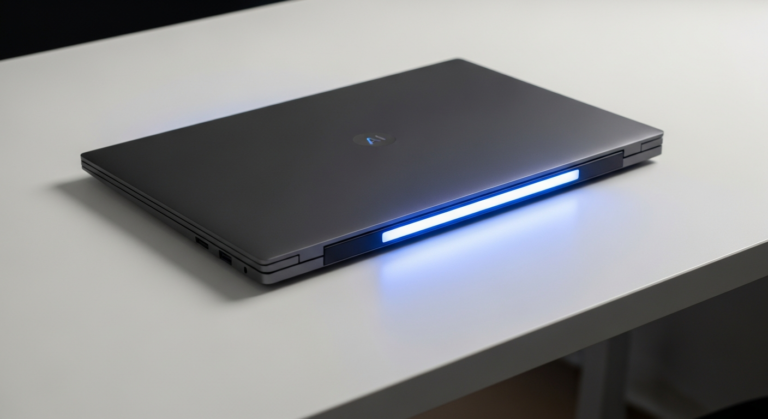
The Surface Laptop Ultra and Nvidia’s RTX Spark chip. A 15-inch mini-LED machine built around Nvidia’s new RTX Spark chip (20-core Grace CPU plus serious GPU cores, up to 128GB of RAM), positioned as Microsoft’s answer to the MacBook Pro — a laptop that can run real AI models without a data center. Pre-orders are live across a whole RTX Spark ecosystem from Lenovo, ASUS, Dell, MSI, and HP, shipping next Friday. A Surface RTX Spark Dev Box and an Nvidia DGX Station for Windows round out the “desk-side AI” pitch.
The price. Entry RTX Spark laptops start around $3,000, with 64GB configurations pushing $5,000. The Surface Laptop Ultra will start well above $2,000. This is developer-and-creative hardware, not office-fleet hardware.
Why local agents matter (even if you never buy one)
The cloud-vs-local question is really a privacy and cost question. Every cloud AI tool you use means your data leaves your building, sits on someone else’s servers, and bills you per use. Local agents flip that: workflows run on your own hardware, your customer files and financials never leave the machine, and there’s no meter ticking while an agent reorganizes your inbox overnight.
For businesses with privacy obligations — clinics, law offices, accounting firms, anyone handling client records — this is the first credible path to agentic AI without a compliance headache. The agent reads the document on your PC instead of uploading it to a stranger.
For everyone else, the near-term relevance is software, not silicon. Agentic Windows 11 features, the agent “Get Started” setup, and native agent runtimes will land on existing hardware. You don’t need a $3,000 laptop to benefit from Windows becoming easier to automate.
Where to be careful
- The hardware is a developer play. RTX Spark machines are for people training and running local models. If your AI workload is “draft emails and answer reviews,” cloud agents remain dramatically cheaper. Don’t let a keynote talk you into a $3,000 laptop to do a $20/month job.
- “RAMageddon” is real. AI demand has driven memory prices up across the board, and Windows license costs are rising too. Every PC refresh in 2026 costs meaningfully more than the one before it. If you were planning a hardware cycle, budget accordingly — and buy more RAM than you think you need, because local AI eats it.
- Local doesn’t automatically mean safe. An agent with access to your files, email, and workflows is powerful whether it runs in Redmond or on your desk. Start with read-and-draft permissions and expand task by task — same rule we give for cloud agents like OpenAI’s dots.
- Ecosystem gravity, again. Microsoft is happy to make Windows the runtime for Muse, Perplexity, Copilot, and third-party agents all at once. Convenient, but the more of your operation lives inside one OS vendor’s agent layer, the harder it is to leave. Keep your data somewhere portable.
What a small business should actually do
- Ignore the laptops unless you have a specific local-model need. The economics don’t work for general office use yet.
- Watch the Windows 11 agent updates. When agent setup and local workflows hit your existing machines, try one recurring chore — file organization, inbox triage, document drafting — and review its output for two weeks before expanding.
- If you’re privacy-constrained, this is your roadmap. Local agents running on business hardware are the answer to “I can’t use AI because of client data.” Plan for it in your next refresh cycle, not this one.
- Budget for expensive hardware for the next 18 months. AI-driven component costs aren’t coming down soon.
The pattern across the last month is unmistakable: OpenAI’s dots, the new Copilot with Autopilot, Meta’s Muse, and now agent-native Windows. Every major platform is converging on always-on agents that do work instead of answering questions. Microsoft’s twist — those agents can live on your desk instead of in a data center — is the one with the most long-term meaning for businesses that can’t ship customer data to the cloud.
Figuring out which of your workflows belong with a cloud agent, which need to stay local, and which should stay human is exactly the work we do. Start here.