Gemini Skills Replace Gems: Small Business Guide
If your business built custom Gems in Google’s Gemini app — a Gem that writes product descriptions in your brand voice, one that handles customer email replies, one that summarizes your weekly sales — Google just announced they’re being replaced. On September 30, 2026, Google introduced Skills, a new system for custom AI instructions in the Gemini app and Google Workspace, and confirmed Gems are on their way out.
This is the second major “your custom AI setup is being retired” announcement in a month, following OpenAI’s decision to kill Custom GPTs by December 11. If you’re learning anything from 2026, it should be this: treat any custom AI configuration as something you own and can export — not something that lives safely inside one vendor’s platform forever.
Here’s what’s actually changing, when it hits your accounts, and what to do about it.
What Skills Are (and How They Differ From Gems)
Gems, introduced back in 2024, were custom versions of Gemini — you wrote a set of instructions once, then chatted with that customized persona anytime. Useful, but each Gem was a walled garden. Your instructions lived inside Gemini and nowhere else.
Skills serve the same purpose at a high level — reusable custom instructions — but with three meaningful upgrades:
- Stackable. You can combine multiple skills in a single chat, and apply different skills across a conversation without copy-pasting outputs. Instead of one “marketing assistant” Gem doing everything badly, you can stack a brand-voice skill on top of a formatting skill on top of a SEO checklist skill.
- Automatic use. Gemini can recognize when a skill is relevant to your prompt and apply it on its own. You don’t always have to invoke it manually.
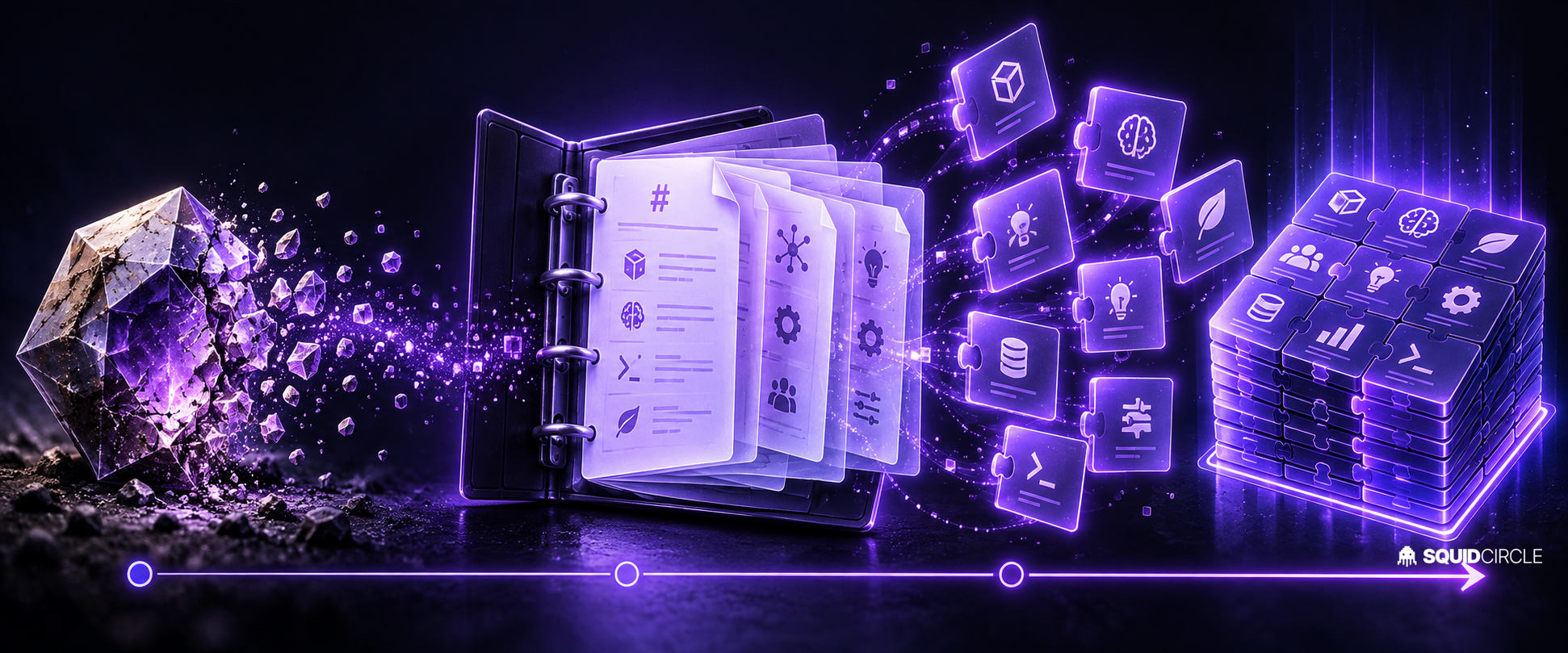
- Portable. This is the big one. Skills are built on the open, Markdown-native SKILL.md standard. Google says you can copy skills you’ve created on other platforms directly into Gemini — and export yours out. No platform lock-in.
That portability point matters more than it sounds. OpenAI and Anthropic have converged on the same Markdown-based skill format, which means your carefully written “how we handle customer complaints” instructions can now move between AI tools instead of being rewritten for each one. For a small business without a dedicated AI person, that’s real leverage.
The Timeline
Google has staggered the rollout and the retirement. Mark these dates:
- October 5, 2026 — Skills begin rolling out in Workspace. Rapid Release domains complete by October 12; Scheduled Release domains start October 19, completing by mid-November.
- October 13, 2026 — Skills roll out in the Gemini app for all users. You can create and use both Gems and skills during this window.
- November 17, 2026 — Gems automatically begin migrating to skills. Gems move to the Settings panel of the Gemini app but remain usable.
- November 2026 — Gem support ends for personal Google accounts. Opal (Google’s mini-app experiment) and Gems by Google Labs also shut down this month.
- March 2027 — Gem support ends for Workspace business, enterprise, and non-profit accounts. This is the deadline that matters for most companies.
- June 2027 — Gem support ends for Workspace education accounts.
One immediate change that’s easy to miss: you can no longer create Workspace Studio flows with an “Ask a Gem” step. Existing flows keep working, but new automation that depends on Gems is already frozen.
What Small Businesses Should Actually Do
1. Inventory your Gems now. Open your Gems manager and list every Gem your team uses, who owns it, and what instructions are inside it. Most businesses discover they have a dozen half-forgotten Gems, three of which someone actually depends on daily.
2. Export your instructions before the migration does it for you. Google says Gems will auto-migrate to skills starting November 17, but automatic migration is not a strategy. Copy the raw instructions out of each Gem into a document now. When Skills arrive, rewrite them as SKILL.md files — you’ll get better structure (and a backup you own).
3. Rebuild your most-used workflows as stackable skills. The migration is a forcing function for better design. Rather than one monolithic “assistant” Gem, split your logic into small, composable skills: one for tone, one for output format, one for your product catalog facts. Stack them per task.
4. Check anything wired into Workspace Studio. If you have automations with “Ask a Gem” steps, they’ll keep running for now — but plan the rebuild around skills before your account’s retirement date, not after something breaks.
5. Treat portability as the win. Because SKILL.md is an open standard, your instruction library becomes reusable across Gemini, and compatible with the same format other AI vendors use. Write your skills once, well, and they’re an asset — not a subscription feature that vanishes in the next platform shuffle.
The Pattern Worth Noticing
Custom GPTs retire in December. Gems retire between November and June. Vendors will keep reshuffling their customization layers as the “agent skills” standard settles, and each shuffle is a small tax on businesses that built workflows they can’t export.
The businesses doing this well keep one canonical, plain-Markdown library of their AI instructions — brand voice, policies, procedures — and treat every AI platform as a temporary host for it. When the next retirement announcement lands (and it will), migration becomes a copy-paste instead of a rebuild.
If managing this kind of churn is exactly the thing you don’t have time for, that’s the space we work in. SquidBot builds and maintains AI agents for small businesses — including keeping your automations alive through platform transitions like this one. We broke down the broader AI price war behind moves like this here, and covered Google’s AI momentum around Gemini 4 here.
FAQ
Will my Gems stop working in November?
Only if you’re on a personal Google account. Workspace business accounts keep Gems until March 2027, and education accounts until June 2027. But all Gems auto-migrate to skills starting November 17, 2026.
Do Skills cost extra?
Skills are included in the Gemini app and Workspace, but as of the initial rollout, creating skills early required switching to the Gemini Spark tab, which is limited to Google AI Pro and AI Ultra subscribers. Availability continues expanding through mid-November.
Can I move my skills to ChatGPT or Claude?
Skills use the open, Markdown-native SKILL.md format, and Google explicitly supports copying compatible skills between platforms. The same Markdown-skill approach is used across major AI vendors, so well-written skills transfer with minimal edits.