Speed-to-Lead: How to Automate Inbox Triage and Instant Follow-Up with AI Agents
Every local business owner knows the crushing disappointment of a hot lead that goes cold. You spend hard-earned budget on advertising and marketing to get a prospect to fill out your contact form, only for that lead to sit in your email inbox for hours—or even days—before anyone responds. By the time your team reaches out, the customer has already booked with your competitor down the street.
This is not a failure of intent; it is a failure of speed. In today’s fast-paced digital economy, speed-to-lead is the single most critical factor determining whether a lead converts into a high-paying customer. If your staff is busy answering phones, servicing existing clients, or handling daily operational fires, responding to new inquiries within five minutes is nearly impossible. This follow-up execution gap is where revenue goes to die.
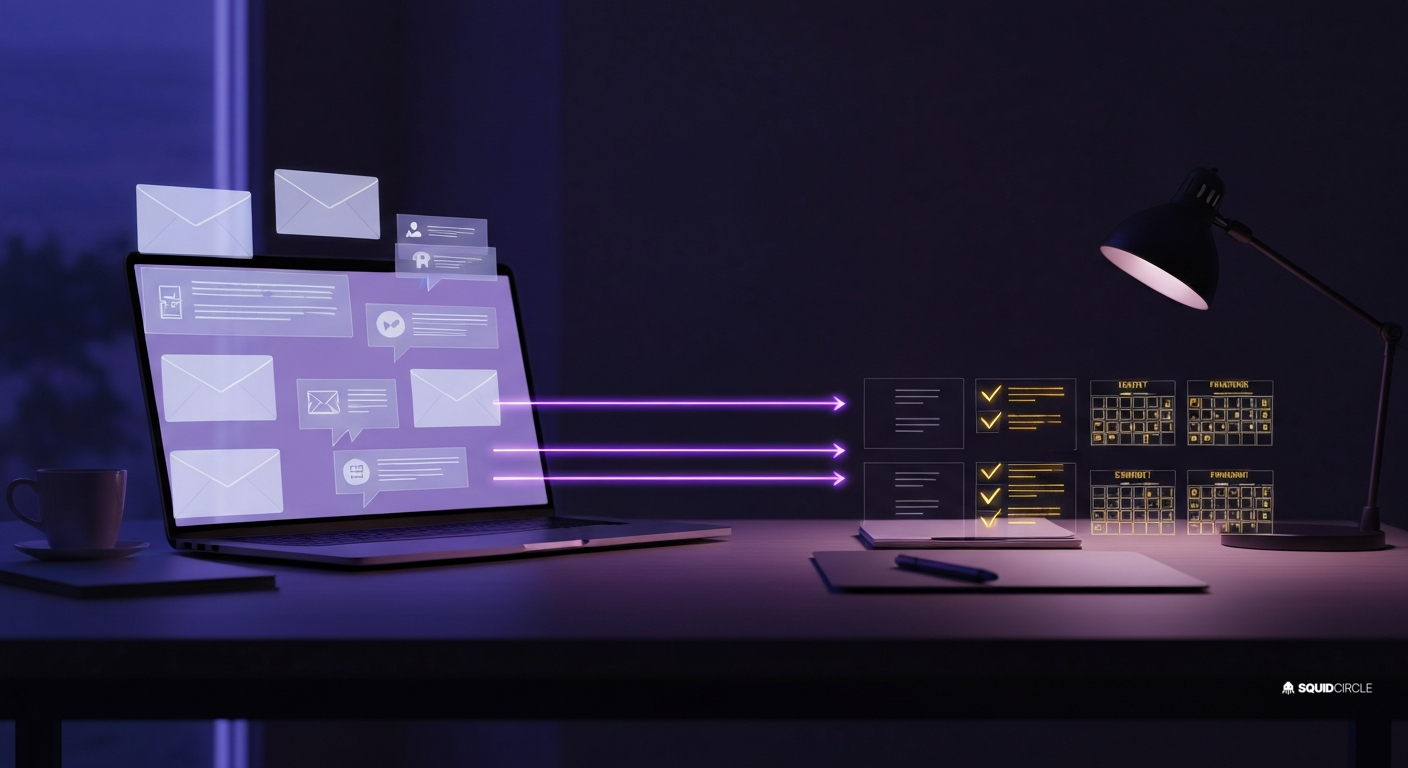
To solve this critical bottleneck, we built a fully autonomous AI Lead Triage and Instant Follow-Up Loop. By hooking up an email and web form parser to an intelligent AI Agent, we can qualify, categorize, and draft a hyper-personalized response within 90 seconds of a form submission. Here is the step-by-step tactical guide showing exactly how to set up this system in your business today.
Why Speed-to-Lead Matters (By the Numbers)
If you think responding within an hour is “fast enough,” the data says otherwise. Small businesses that delay their response times are actively flushing money down the toilet:
- The 5-Minute Window: Responding to a web lead within 5 minutes makes you 21 times more likely to qualify them compared to responding after 30 minutes.
- First Come, First Served: Up to 78% of customers buy from the company that responds to their inquiry first.
- The Multi-Channel Edge: Combining an instant, friendly email response with a personalized SMS text message increases conversion rates by over 100%.
For most local service businesses, building this kind of instantaneous response team is cost-prohibitive. Hiring a 24/7 receptionist to monitor an inbox costs thousands of dollars a month. By contrast, leveraging an AI Agents Small Business Guide framework allows you to deploy specialized software agents that work 24/7/365 for a fraction of the cost, ensuring no lead is ever left waiting.
The Step-by-Step AI Inbox Triage Setup
Let’s break down the exact automation stack and workflow we use to help our clients achieve near-instantaneous speed-to-lead. You can implement this setup using standard, low-code tools like Zapier or Make, combined with an LLM API (such as OpenAI or Anthropic).
Step 1: Capture the Intake via Webhook
Your web forms (WordPress, Webflow, Shopify, or lead forms on Facebook) must feed into a central routing system immediately. Instead of waiting for a batch email notification, configure your form builder to fire a webhook. In Zapier, set your trigger to “Webhooks by Zapier” (Catch Hook), and paste the generated URL into your form plugin’s webhook settings. This ensures the raw lead data is captured in real-time, the millisecond the prospect clicks “Submit.”
Step 2: AI Triage and Lead Qualification
Once the webhook receives the lead data, we route it to an AI classification step. The agent evaluates the submission on multiple dimensions using a structured system. By feeding the lead data into a model like GPT-4o-mini or Gemini Flash, we ask the agent to output a clean JSON payload classifying the lead:
- Intent Classification: Is this a Quote Request, Support Issue, Billing Question, or pure Spam?
- Urgency Level: High (needs emergency plumbing/HVAC/locksmith help), Medium (booking inquiry for next week), or Low (general question).
- Data Extraction: Extract the name, phone number, email, service requested, and any specific pain points mentioned.
This structured analysis allows the workflow to instantly route spam to the trash, and escalate high-urgency leads to the top of your team’s priority list.
Step 3: Draft a Hyper-Personalized, Context-Rich Response
Instead of sending a generic “Thank you for your message, we will get back to you in 24 hours” email, the AI Agent drafts a custom response based on the prospect’s exact inquiry. If a homeowner requests a quote for “clearing a blocked drain in the kitchen,” the agent’s drafted email will reference kitchen drain clogs specifically, explain your standard diagnostic pricing, and offer a direct scheduling link.
By leveraging AI Follow-Up Automation, the draft feels human, helpful, and highly relevant, immediately stopping the prospect from looking up another service provider.
Step 4: Human-in-the-Loop Approval Safeguards
For business owners who are hesitant to let an AI talk to customers directly, we always implement a Human-in-the-Loop (HITL) gate. Instead of sending the email automatically, the automation pushes a notification to a private Slack or Discord channel, or directly via SMS to the owner’s phone. This notification includes the lead details, the AI’s qualification notes, and the drafted email response.
The team can review the draft, make quick edits if needed, and click a single “Approve and Send” button. This ensures 100% brand control while keeping response times under two minutes. To understand how we connect these specialized layers together, see our detailed teardown of How Squidbot Uses Connected AI Agents.
A Real-World Scenario: Speed-to-Lead in Action
Let’s look at how this plays out in the real world for a local service business, such as an electrical contractor. Consider these two contrasting paths for the exact same lead:
The Traditional Path: A homeowner submits a form at 8:15 AM requesting an emergency panel upgrade. The office manager is busy checking in technicians and doesn’t open the email until 11:30 AM. They reply with a standard quote request questionnaire. By then, the homeowner has already called two other contractors and booked an appointment with one who answered their phone at 8:30 AM. Result: Lost opportunity.
The AI Triage Path: The homeowner submits the form at 8:15 AM. Within 45 seconds, the AI Agent qualifies the lead as “High Urgency – Electrical Panel Upgrade,” drafts a personalized SMS and email offering two booking slots for that afternoon, and pings the owner’s phone. The owner taps “Approve” while walking into a job site. The homeowner receives the message at 8:17 AM and books the slot. Result: $3,500 contract secured.
This is why specialized agencies are deploying these setups rapidly across the continent. To see how these automations are reshaping local services, read our research on AI Agents Transforming Home Service Businesses.
Sources
- Harvard Business Review: The Short Life of Online Leads
- Salesforce Research: State of the Connected Customer Report
Frequently Asked Questions
Is AI speed-to-lead response safe for my brand’s reputation?
Absolutely. By implementing a “Human-in-the-Loop” gate, nothing is sent to a customer without your team’s direct approval. The AI handles 95% of the heavy lifting (monitoring, categorizing, writing the custom draft), and your team simply acts as the editor and sender. Once you gain confidence in the AI’s drafts, you can turn on auto-send for specific, low-risk templates (like general business hours or booking links).
What tools do I need to build an AI inbox triage setup?
You can build a highly effective triage stack using three core components: an automation platform (Zapier or Make), an LLM API provider (OpenAI API or Google Gemini API), and your existing communication channels (Gmail/Outlook, Twilio, or GoHighLevel). No advanced software engineering degree is required.
Can this integrate with my existing CRM?
Yes. The AI Lead Triage agent is built to integrate directly with popular CRM systems (GoHighLevel, HubSpot, Salesforce, or Jobber). The agent can parse incoming data, search the CRM to see if the contact already exists, update their record, and log the drafted communication directly in their activity timeline.
What if a customer replies to the SMS or email?
When a lead replies, the system loops the conversation back to the triage agent. The agent reads the conversation history, understands the context of their reply, drafts the next follow-up message, and alerts your team. This continuous conversation loop ensures the prospect remains warm until a human team member can jump in.
Ready to Supercharge Your Speed-to-Lead?
Most small businesses are losing 15% to 30% of their inbound lead revenue simply because they respond too slowly. If you want to deploy a custom, fully integrated AI Lead Triage and Follow-Up agent for your business, we can build and launch it for you in under a week. Let us help you turn your inbox from a static folder into an active, revenue-generating engine. Reach out to our growth team today to get started.