AI Appointment Booking Assistant: Never Lose Another Client to Voicemail
Every time your phone rings out and hits voicemail, you’re not just missing a call. You’re handing a paying customer to the competitor who picks up.
Small businesses miss an estimated 62% of inbound calls. Of callers who reach voicemail, 85% never call back — and 62% of them contact a competitor instead. The average small business loses over $26,000 per year directly to missed calls, with some service businesses bleeding more than $126,000.
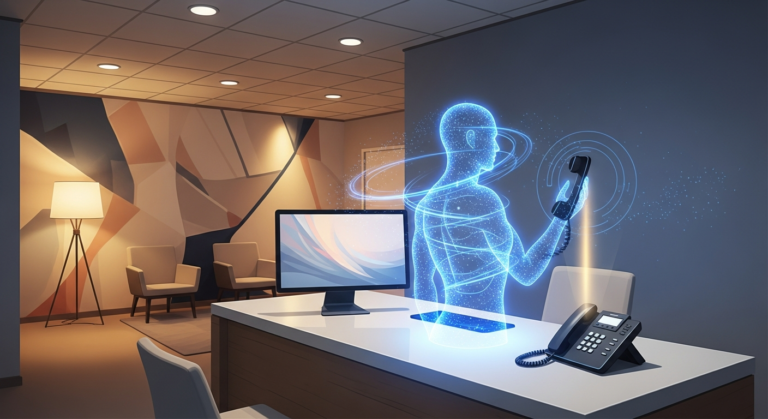
That’s the gap an AI appointment booking assistant fills. Not another scheduling link. Not a chatbot that pretends to help. A system that answers instantly, books the appointment on your live calendar, sends reminders, and follows up — all without you touching the phone.
Quick Summary
- The problem: Missed calls, after-hours inquiries, and no-shows cost service businesses tens of thousands annually.
- The solution: An AI booking assistant handles the entire appointment lifecycle — intake, scheduling, reminders, and follow-up.
- How it works: AI connects to your calendar and CRM, answers calls and messages 24/7, books real appointments, and reduces no-shows with automated reminders.
- Who benefits: Clinics, home services, salons, legal practices, fitness studios — any appointment-based business under $10M revenue.
- Implementation: Most setups take a few hours, not weeks. Connect your calendar, train the AI on your business rules, and go live.
Why Traditional Booking Methods Are Killing Your Revenue
Most small businesses still rely on one of three booking methods — and all three have serious leaks.
1. The Front Desk Trap
If you have a receptionist, they can only answer one call at a time. During peak hours, lunch breaks, or after they leave at 5 PM, calls go unanswered. You’re paying someone full-time wages but still losing leads during every gap in coverage.
2. The Scheduling Link Problem
Tools like Calendly and Acuity are great for B2B meetings. But asking a homeowner with a burst pipe to find your booking link, open it, and pick a time slot? That’s friction. Consumer callers want to talk to someone now. Forcing them through a self-service flow drops conversion by 30-50%.
3. The Voicemail Black Hole
Voicemail is where leads go to die. When someone calls a service business after hours and gets a machine, they don’t leave a message and wait. They call the next result on Google. You lost the job in the time it took your voicemail greeting to finish playing.
The root issue is the same across all three: booking friction. Every step between “I need this service” and “my appointment is confirmed” is a point where a customer can drop off. An AI appointment booking assistant eliminates that friction entirely.
What an AI Appointment Booking Assistant Actually Does
Let’s be specific. This isn’t a chatbot that says “Hi! How can I help you?” and then does nothing. A real AI booking assistant handles the complete appointment workflow:
Answers Inquiries Instantly
When a customer calls, the AI picks up on the first ring. It greets them naturally, asks what they need, and provides basic information — pricing, services, availability. No hold music, no “please listen carefully as our menu has changed.”
Books Real Appointments on Your Calendar
The AI connects directly to your Google Calendar, Outlook, or practice management software. It checks live availability, respects your business rules (buffer times, lunch breaks, maximum daily appointments), and books the slot — all while on the call. The customer gets a confirmation immediately, and the appointment appears on your calendar.
Sends Automated Reminders
The average no-show rate across service industries is 23%. Automated reminders cut that in half. The AI sends SMS and email reminders 24 hours and 1 hour before the appointment, handles reschedule requests, and confirms attendance — automatically.
Follows Up After the Appointment
After the service is done, the AI sends a thank-you message, requests a review, and even manages referral and review automation to turn satisfied customers into your best marketing channel.
Captures After-Hours Leads
When your business is closed, the AI is still working. That 11 PM call from someone who needs an emergency plumber? Booked. The Sunday morning inquiry about a dental cleaning? Scheduled for Monday. You wake up to a full calendar instead of a full voicemail box.
The Real Cost of Not Having AI Booking
Let’s put real numbers on this. Take a typical home service business — say, an HVAC company doing $2M in annual revenue.
Average service call value: $450
Calls per day: 40
Answer rate without AI: 38% (industry average)
Missed calls per day: ~25
Missed revenue per day: ~$11,250
Annual revenue lost to missed calls: ~$340,000+
Even if only half those missed calls were genuine booking opportunities, that’s $170,000 in lost revenue from a problem that an AI booking assistant solves for a fraction of that cost.
Now add no-shows. If you book 200 appointments a month with a 23% no-show rate at $450 per appointment, you’re losing $20,700 per month — nearly $250,000 a year — from customers who simply didn’t show up. Automated reminders bring that rate down to 10-12%, recovering most of that revenue.
The math isn’t subtle. If you run an appointment-based business, AI booking isn’t a luxury. It’s one of the highest-ROI automation investments you can make.
How It Works: The AI Booking Workflow
Here’s what happens when a customer interacts with an AI appointment booking assistant:
1. Customer initiates contact. They call, text, message through your website, or DM you on social media. The AI responds on whichever channel they use.
2. AI gathers information. It asks what service they need, collects relevant details (address, issue description, preferred times), and qualifies the lead against your business rules.
3. AI checks availability. It queries your live calendar in real time, finds open slots that match the service duration and your scheduling rules, and offers 2-3 options to the customer.
4. Customer confirms. The AI books the appointment, adds it to your calendar, and sends an immediate confirmation via SMS and email. No back-and-forth. No “let me check and get back to you.”
5. Reminders fire automatically. The system sends reminders 24 hours and 1 hour before the appointment. If the customer needs to reschedule, they can do it through the AI without calling your office.
6. Post-appointment follow-up. After the service, the AI sends a thank-you message, requests a review, and flags opportunities for referrals — closing the loop on the entire customer interaction.
This connected workflow is what separates a true AI booking system from a simple scheduling tool. As connected AI agents become more common, the businesses that adopt them are pulling ahead of competitors still relying on manual processes.
Industries Where AI Booking Has the Biggest Impact
Healthcare and Dental Clinics
Healthcare no-show rates average 27%, with some practices hitting 30%+. An AI booking assistant that handles intake, sends reminders, and manages reschedules can recover tens of thousands in lost revenue monthly. It also handles patient intake forms and insurance pre-verification — tasks that eat front-desk hours.
Home Services
Plumbers, electricians, HVAC, locksmiths — these businesses live and die by phone response time. Home service businesses that answer calls within the first ring win 80% more jobs than those that take longer. AI booking captures every call, even during jobs or after hours.
Salons and Spas
Beauty and wellness businesses face 15-30% no-show rates. AI booking with automated reminders brings that below 5%, filling chairs that would otherwise sit empty. The AI also manages stylist preferences, service durations, and package bookings.
Legal and Professional Services
Law firms, accountants, and consultants lose consultation slots to no-shows regularly. AI booking handles intake screening, conflict checks, and consultation scheduling — ensuring every billable hour slot is productive.
Fitness and Wellness
Personal trainers, studios, and wellness centers use AI booking to manage class capacities, handle cancellations automatically, and fill spots from waitlists when someone bails — keeping utilization high without manual coordination.
Implementation: Setting Up AI Booking in 5 Steps
Getting an AI appointment booking assistant running is faster than most people think. Here’s the typical process:
Step 1: Connect Your Calendar
Link your Google Calendar, Outlook, or practice management software. The AI needs real-time visibility into your availability to book accurately.
Step 2: Define Your Business Rules
Set service durations, buffer times between appointments, blackout dates, maximum daily bookings, and any routing logic (e.g., emergency calls go to the on-call technician, routine bookings fill the regular schedule).
Step 3: Train the AI on Your Services
Upload your service menu, pricing, common questions, and intake requirements. The AI needs to know what you offer, how much it costs, and what information to collect from each type of booking.
Step 4: Set Up Reminders and Follow-ups
Configure reminder timing (typically 24 hours and 1 hour before), message templates, and reschedule policies. Decide what happens with no-shows — automated follow-up, waitlist promotion, or flagging for personal outreach.
Step 5: Test and Go Live
Run test bookings to verify the calendar sync, reminder delivery, and call quality. Once everything checks out, forward your business line to the AI (or run it in parallel) and start capturing every call.
With a platform like SquidBot, the entire setup is done in a single onboarding session. No engineering required. You bring your business details; the system handles the rest.
Common Mistakes to Avoid
Mistake 1: Choosing a Chatbot Over a Booking System
Many businesses install a website chatbot, assume it “does AI,” and wonder why nothing improved. A chatbot without calendar integration and CRM connectivity is just a fancy FAQ page. Make sure your AI booking assistant can actually book appointments, not just answer questions.
Mistake 2: Over-Automating the Human Touch
AI booking doesn’t mean removing humans entirely. The best systems know when to escalate — complex disputes, high-value consultations, emergency situations. Set clear escalation rules so the AI hands off smoothly when a human is needed.
Mistake 3: Ignoring Reminder Configuration
Reminders only work if they’re timed right. Too early and customers forget. Too late and they’ve already made other plans. Test different timing (24 hours + 1 hour is the sweet spot for most industries) and channels (SMS outperforms email for reminder open rates).
Mistake 4: Not Tracking No-Show Recovery
If you don’t measure your no-show rate before and after implementing AI booking, you can’t quantify the ROI. Track answer rate, booking conversion, no-show rate, and after-hours bookings from day one.
Mistake 5: Forgetting About Existing Customers
AI booking isn’t just for new leads. Existing customers benefit from easy rescheduling, automated reminders, and proactive follow-up. Set up recurring appointment management for regular clients to keep them on the books without manual outreach.
Sources
- GetAira — 62% of Business Calls Go Unanswered: The $126K Cost
- SkipCalls — The True Cost of Missed Business Calls in 2026
- SchedulingKit — Appointment No-Show Statistics by Industry (2026)
- PCN Answers — 2026 Small Business Missed Call Revenue Study
Frequently Asked Questions
How much does an AI appointment booking assistant cost?
Costs vary widely. Standalone scheduling tools run $10-50/month but don’t answer calls. Full AI voice agents that answer calls and book appointments typically range from $200-800/month depending on call volume and features. For most service businesses, the system pays for itself by preventing 2-3 missed appointments per month.
Will customers know they’re talking to an AI?
Modern AI booking assistants sound natural and conversational. Most systems introduce themselves transparently (“Hi, I’m the virtual assistant for [Business Name]”). Customer acceptance is high — people care more about getting their problem solved quickly than whether a human or AI is scheduling the appointment.
Can the AI handle complex scheduling scenarios?
Yes. A properly configured AI booking assistant can manage multi-service appointments, route specific request types to different team members, handle recurring bookings, respect blackout dates, and manage waitlists. The key is investing time upfront to map your scheduling rules.
What if I already have a front desk receptionist?
AI booking doesn’t replace your receptionist — it handles the overflow. Your receptionist focuses on in-person customers and complex tasks while the AI manages phone intake, after-hours calls, and reminder automation. Most businesses see it as giving their receptionist a capable assistant, not a replacement.
How long does it take to set up?
With a managed platform like SquidBot, the initial setup takes a few hours during your onboarding session. You connect your calendar, define your services and rules, and test the system. Within 24-48 hours, you’re live and capturing every call.
Stop Losing Revenue to Missed Calls and No-Shows
Every missed call is a customer who wanted to give you money and couldn’t. Every no-show is revenue that vanished because a reminder didn’t go out. Every after-hours inquiry that hit voicemail went to your competitor.
An AI appointment booking assistant fixes all three problems at once. It answers every call. Books every appointment. Sends every reminder. Follows up with every customer. Twenty-four hours a day, seven days a week, without a salary, benefits, or lunch break.
If you run an appointment-based business and you’re still relying on voicemail and manual scheduling, you’re leaving money on the table every single day. SquidBot gives you a full AI team — including booking, follow-up, reviews, and CRM management — for less than the cost of a part-time receptionist.
Ready to stop losing appointments? Book a demo with SquidCircle and see how an AI appointment booking assistant can transform your business in a single afternoon.