Google Just Killed the Chromebook: Meet Googlebook, the First AI-First Laptop
Google just announced something that changes the laptop game entirely.
After 15 years of Chromebook, Google is evolving the category with Googlebook — a new line of laptops built from the ground up for Gemini AI. This is not a Chromebook refresh. This is a completely new product category.
What Is Googlebook?
Googlebook merges the best of Android and ChromeOS into a single platform designed around Gemini Intelligence. Instead of treating AI as an add-on feature, Googlebook puts AI at the core of how you interact with the device.
The announcement came during The Android Show on May 12 — a week ahead of Google I/O 2026 (May 19-20), which tells you how big Google thinks this is. They are leading with this.
The Standout Features
Magic Pointer
This is the headline feature, and it is genuinely wild. Google reinvented the cursor. Wiggle your mouse and Gemini activates, giving you contextual suggestions based on what you are pointing at. Point at a date in an email — it offers to create a calendar event. Select two images — it can combine them. It turns the most basic interaction (pointing) into an AI-powered workflow.
Built with Google DeepMind, Magic Pointer is the kind of thing that sounds simple but could fundamentally change how people use laptops.
Create Your Widget
Tell Gemini what you need and it builds a custom widget on your desktop. Planning a trip? It pulls flights, hotels, reservations, and a countdown into one dashboard. No manual setup, no app switching — just describe what you want.
Seamless Android Integration
Googlebook runs on part of the Android tech stack, which means instant access to phone apps and files. The Android ecosystem finally has a proper laptop companion.
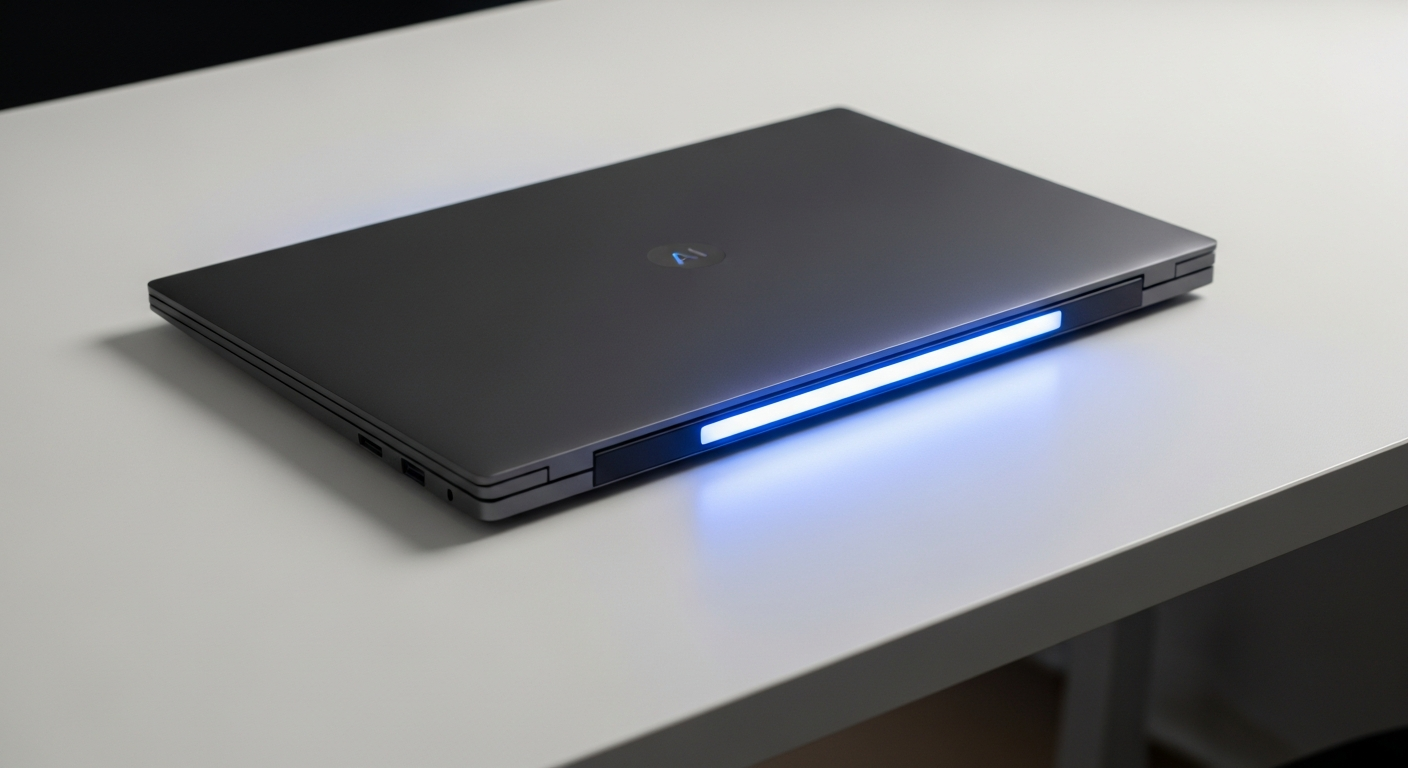
Premium Hardware with a Glowbar
Google is partnering with major hardware manufacturers for premium devices featuring a distinctive glowbar design. Devices launch this fall.
Why This Matters
The laptop market has been stagnant for years. Apple has been pushing Apple Intelligence across MacBooks. Microsoft went all-in on Copilot+ PCs. Now Google is making its move — and they are coming at it from a completely different angle.
Instead of bolting AI onto an existing OS, Googlebook is designed for AI from the ground up. The cursor is AI. The desktop is AI. The ecosystem connection is AI. That is a fundamentally different philosophy than “we added an AI button.”
For small businesses, this could be significant. A laptop that proactively helps with scheduling, organization, and task management — without needing to learn new tools — could change how non-technical teams operate day to day.
What to Watch at Google I/O
If Google is leading with Googlebook a full week before I/O, expect the keynote to go even bigger. The Android Show was just the warm-up. Watch for:
- Gemini model updates — expect a major new model announcement
- Android 17 details — deeper AI integration across the OS
- Android XR glasses — hardware partnerships with fashion brands, release dates
- Developer tools — new APIs for building on Gemini
Google I/O runs May 19-20. We will have full coverage.
The Bottom Line
Chromebook was built for a cloud-first world. Googlebook is built for an AI-first world. Whether it delivers on that promise remains to be seen — but the ambition is undeniable. The laptop just got its biggest rethink in over a decade.
Related Reading
- AI Agents for Small Business Operations
- 5 AI Stories This Week
- AI Business Workflow Automation
- How to Automate Customer Review Requests With AI
Frequently Asked Questions
What is Google Just Killed the Chromebook: Meet Googlebook, the First AI-First Laptop?
Google Just Killed the Chromebook: Meet Googlebook, the First AI-First Laptop refers to recent developments in AI technology that small business owners should understand to stay competitive. This article breaks down what changed, why it matters, and how to take action.
How can small businesses use this?
Small businesses can apply these insights by evaluating the tools mentioned, integrating them into existing workflows, and starting with a single high-impact use case rather than trying to do everything at once.
Does this replace existing tools or workflows?
In most cases, these tools augment rather than replace existing systems. The key is identifying where they save the most time — often in lead response, scheduling, follow-up, or content creation.
Should business owners start using this now?
Yes. Early adopters in the small business space are already seeing measurable improvements in response times, conversion rates, and operational efficiency. Waiting means playing catch-up.